02 · Stakeholder-ready waterfalls
The same answer, in the form each person needs.
The board wants the whole deal on one page. A founder wants their own number. Counsel wants the spreadsheet. Studio produces each from the same run, so the three never disagree.
1 of 3
One picture, from price to payout
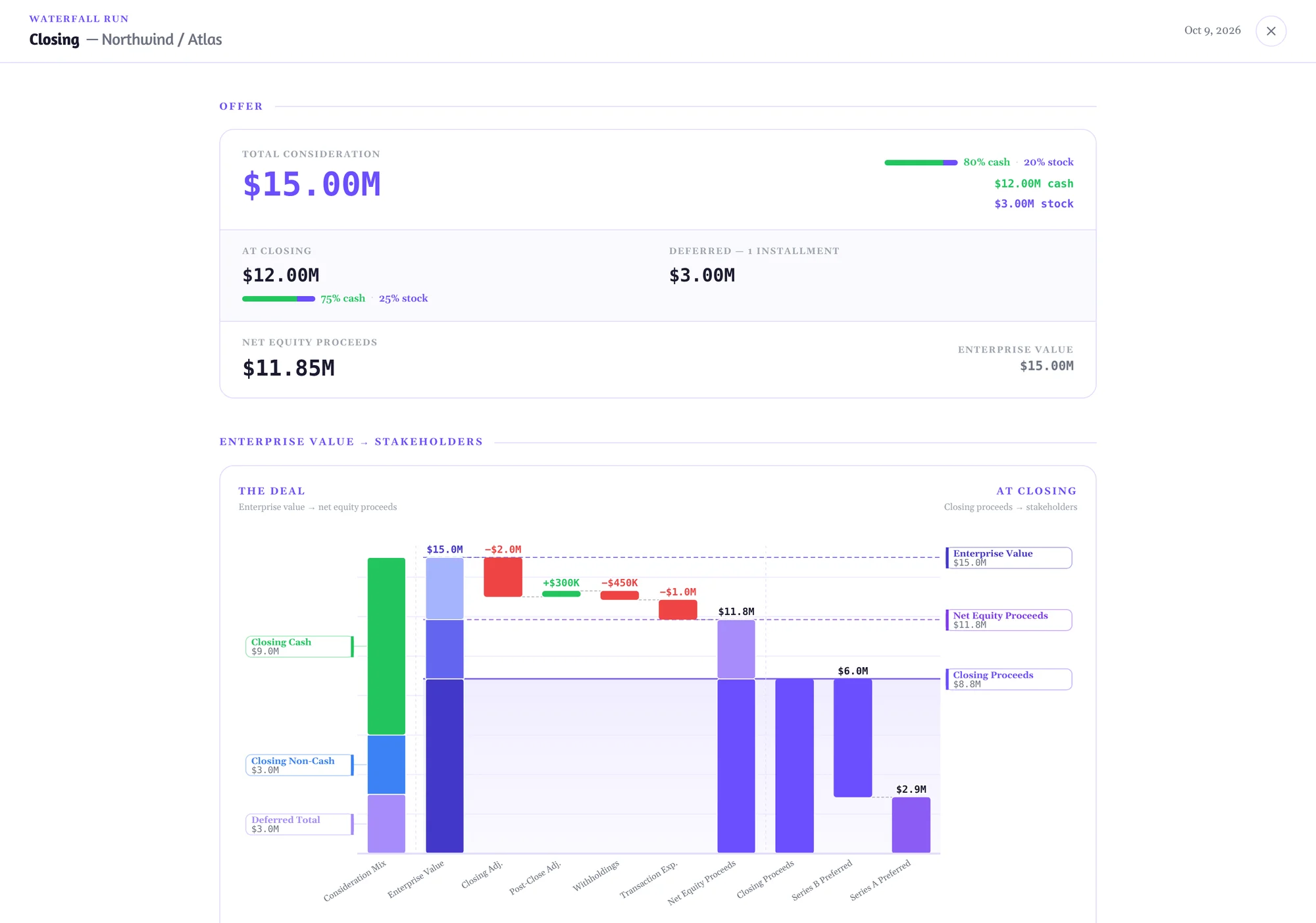
Present mode puts the offer and the full path from enterprise value to each class on a single shared scale. It is the page you put on the screen in the board meeting.
- Consideration mix, deductions, net equity proceeds and class payouts on one axis
- Closing and deferred amounts kept visibly apart
- The same chart is embedded in the exported workbook
2 of 3
A read-only link for the board
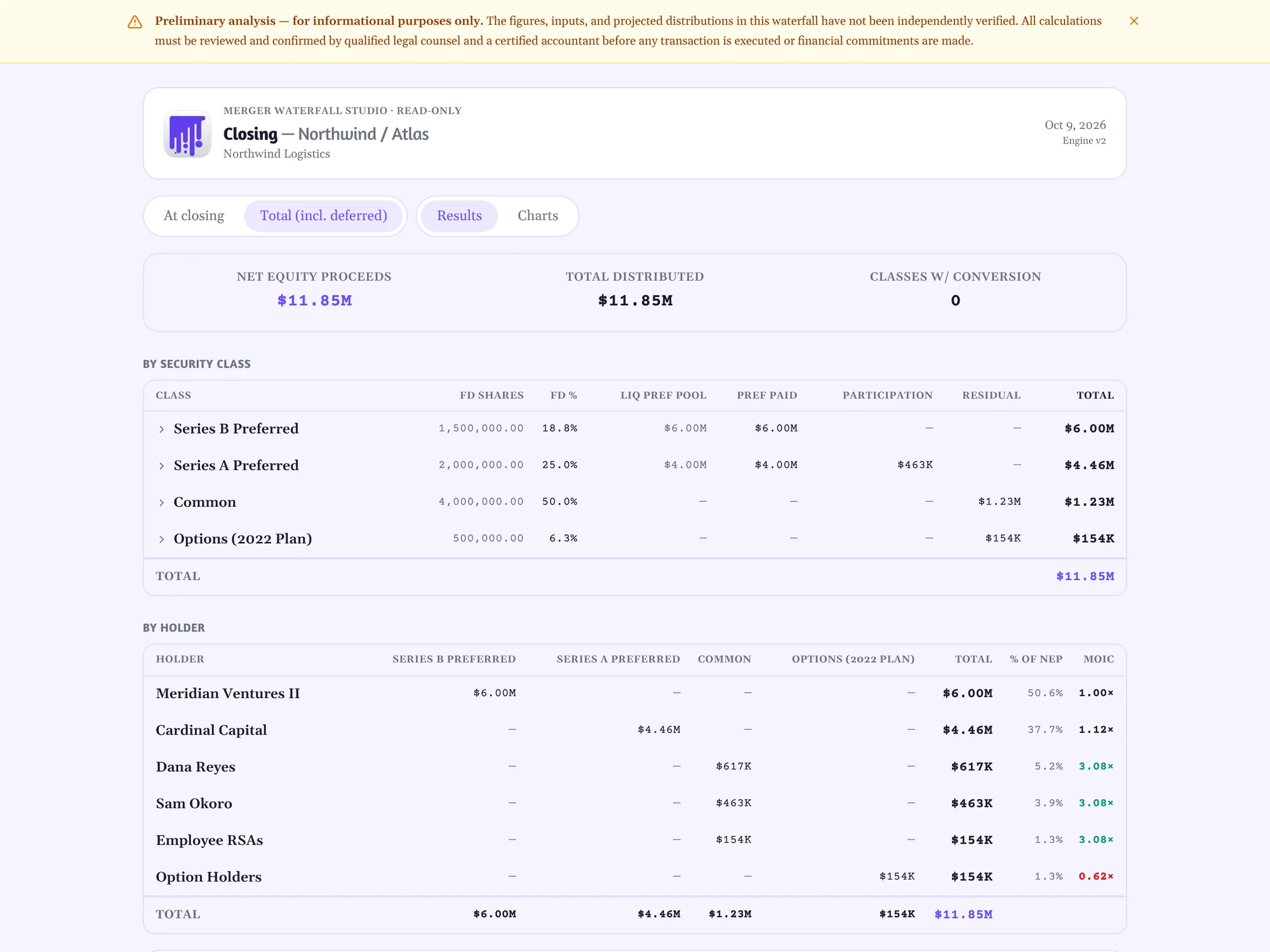
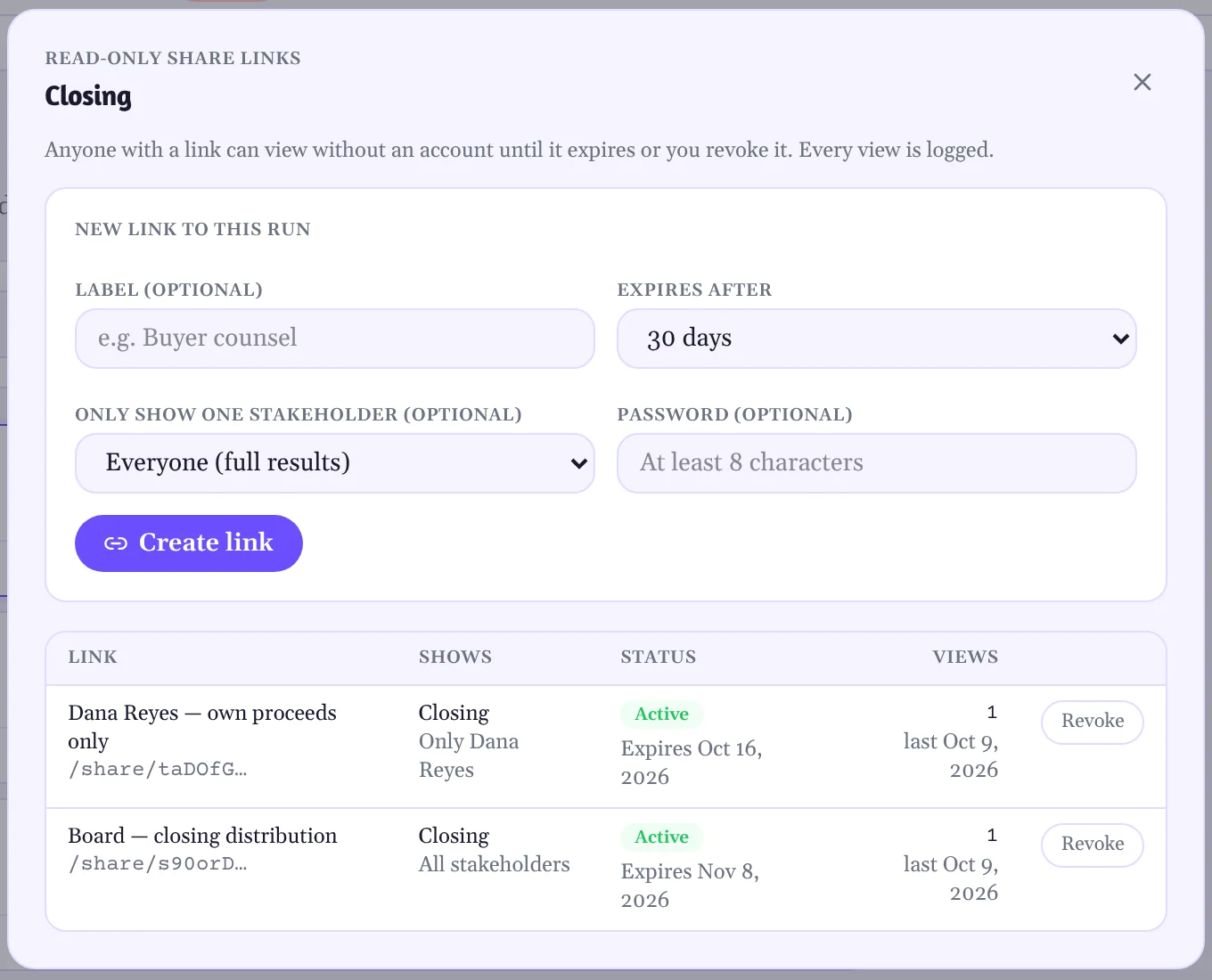
Share a run with people who have no account. They see the distribution by class and by holder, at closing or including deferred amounts, and nothing they can edit.
- No sign-up for the reader
- Expires after 7, 30 or 90 days. Revoke it at any time
- Optional password. Every view is logged
3 of 3
A fenced link for each holder
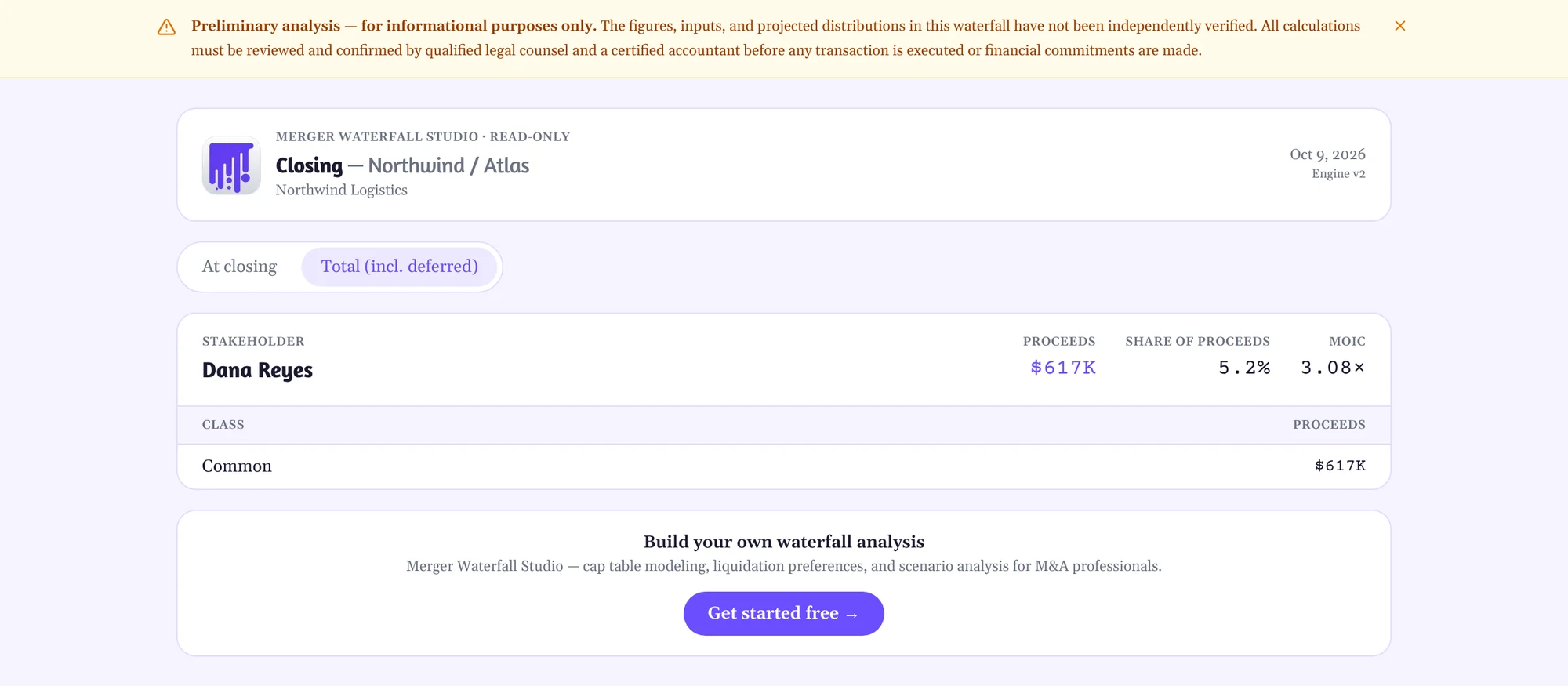
A founder or employee should see their own proceeds, not everyone else's. A fenced link shows one stakeholder and leaves the rest of the cap table out of the page entirely.
- One stakeholder per link, chosen when you create it
- The fence is applied on the server. Other holders are not sent to the browser
- Each link shows who it is for, when it expires and how often it was viewed
About these screens
Every image on this page is a capture of Merger Waterfall Studio running one example deal: Northwind Logistics acquired by Atlas Freight Group for $15.00M. The company, the people and the documents are fictional. The screens are not mock-ups.
Next
Conversational deal terms updates
Ask what a change does to every check, in the assistant you already use.
Try it on your next deal.
Bring the cap table export and the charter. Leave with a distribution spreadsheet you can hand to the board, the buyer and the auditor.